Choosing a first phone for a child is no longer just about price or battery life. In 2026, kids phones combine reliable communication with strong safety guardrails: location sharing, contact approval, screen time schedules, app limits, web filtering, and age appropriate access to messaging, music, maps, and school tools. No device is completely risk free, so the right choice depends on your child’s age, maturity, school needs, and how much independence you want to allow.
The best kids phone is not the one with the most features — it’s the one that gives your child the right level of independence while keeping parental controls, safety tools, and communication boundaries firmly in place.
What to Look for in a Kids Phone
- Contact controls: Parents should be able to approve who can call or text the child.
- Location tools: Look for GPS tracking, check-ins, and safe zone alerts for school, home, and activities.
- Screen time management: Schedules for school, homework, bedtime, and weekends help set predictable boundaries.
- App approval: The best options let parents approve apps before they are installed or used.
- Web and content filtering: Younger children may need no browser at all, while teens may need filtered or monitored browsing.
- Message monitoring or alerts: Some phones show full message history; others alert parents only when concerning content appears.
- Room to grow: A good kids phone should allow more features to be unlocked as children show responsibility.
Top Kids Phones in 2026
1. Bark Phone: Best Overall for Monitoring and Flexibility
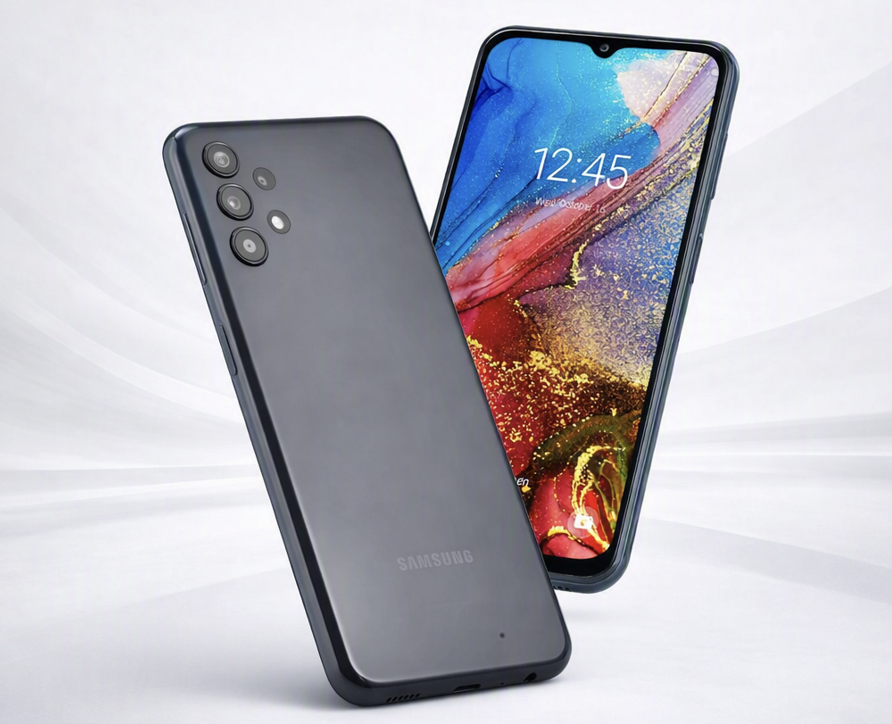
The Bark Phone is a strong choice for tweens and teens who need a real smartphone experience but still require meaningful oversight. It is known for content alerts across texts, email, browsing, and many popular apps, plus app approval, screen time schedules, and location tracking. The Bark Phone is essentially a Samsung device customized for children, running Bark Technologies’ parental control software directly on the phone
- Kid friendly features: Smartphone style design, parent approved apps, school and bedtime routines, location sharing, and customizable access levels.
- Security and parental controls: Tamper resistant controls, content alerts for risky language or interactions, web filtering, app approval, screen time limits, and GPS alerts.
- Pros: Excellent monitoring depth; flexible enough for older kids; useful for families who want alerts rather than reading everything manually; grows with the child.
- Cons: Monthly costs can be higher than simple phones; may feel too monitored for older teens if expectations are not discussed; requires parents to actively manage settings.
2. Gabb Phone 4: Best Simple First Smartphone
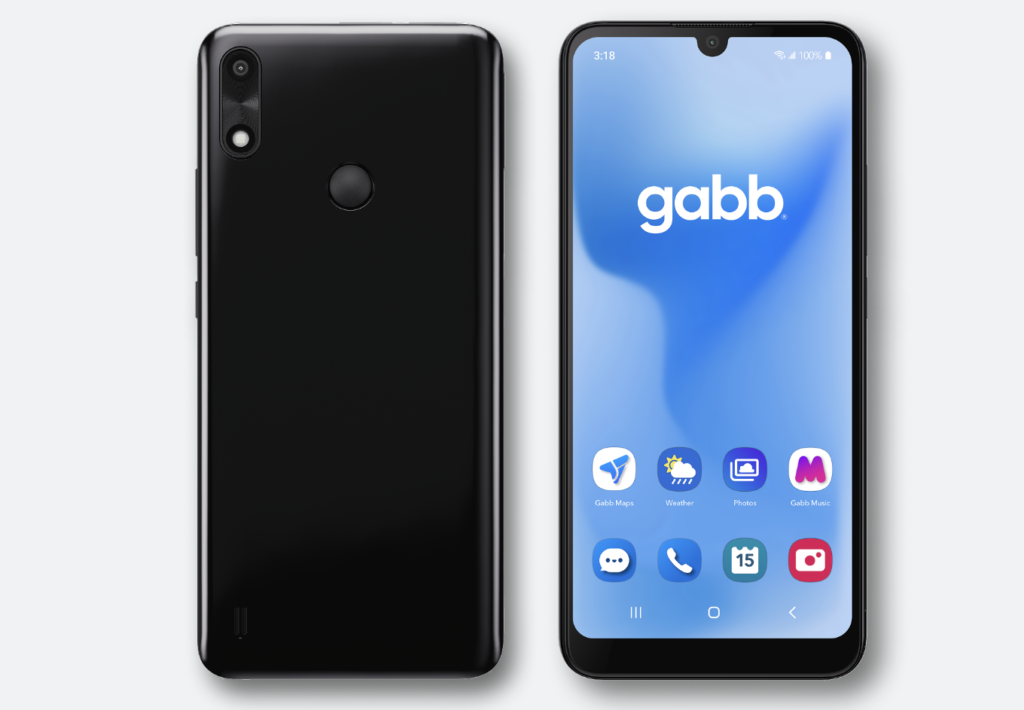
The Gabb Phone 4 is designed for families that want communication and safety without open internet access or social media. It is especially appealing for younger children who need calls, texts, maps, music, and basic tools but are not ready for a full app store.
- Kid friendly features: Clean interface, calling and texting, kid safe apps, GPS location features, and a simple experience that feels like a phone without becoming a full internet device.
- Security and parental controls: No open browser, no standard social media, parent managed features, safe messaging tools, and location tracking.
- Pros: Great for first time phone users; fewer distractions; simple for parents to understand; reduces exposure to social media and unrestricted browsing.
- Cons: Less flexible as children get older; limited app ecosystem; children who need school or hobby apps may outgrow it faster.
3. Pinwheel: Best for Gradual Independence
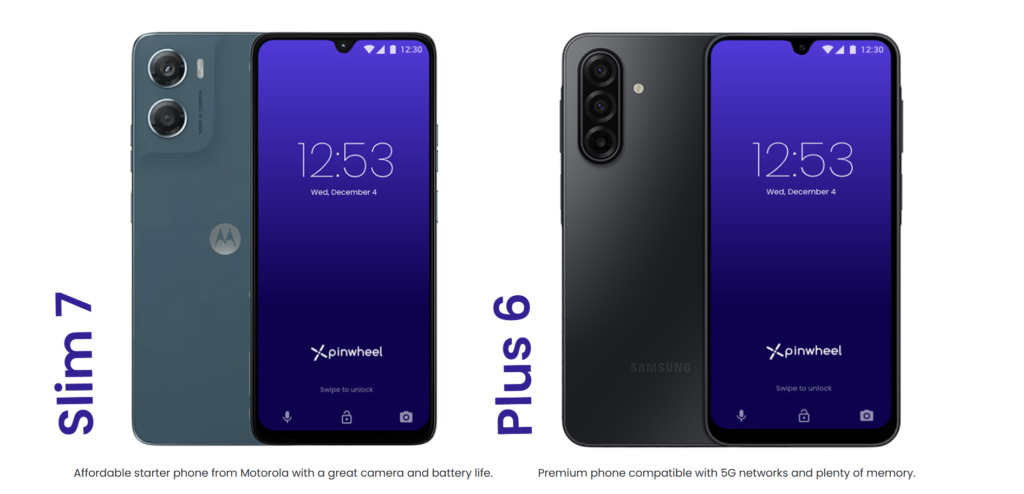
Pinwheel is built around parent approved apps and routines, making it a practical option for children who need a more capable device but should not have unrestricted access. It works well for families who want to introduce apps slowly and build responsibility over time. Pinwheel has 2 options Slim 7 is an affordable starter phone from Motorola with a great camera and battery life and Plus 6 is Samsungs premium phone compatible with 5G networks and plenty of memory.
- Kid friendly features: Parent curated app access, daily schedules, location tools, contact management, and a more “normal” smartphone feel than very locked down devices.
- Security and parental controls: App approval, text monitoring options, contact controls, web filtering choices, and routines for school, homework, and bedtime.
- Pros: Good balance of freedom and structure; useful for multiple age groups; supports gradual feature unlocks; can fit families that already have a carrier plan.
- Cons: Setup can take more time; app decisions require ongoing parent involvement; less comprehensive content monitoring than Bark style alert systems.
4. Troomi Safe Phone: Best for Younger Kids Who Need Structure
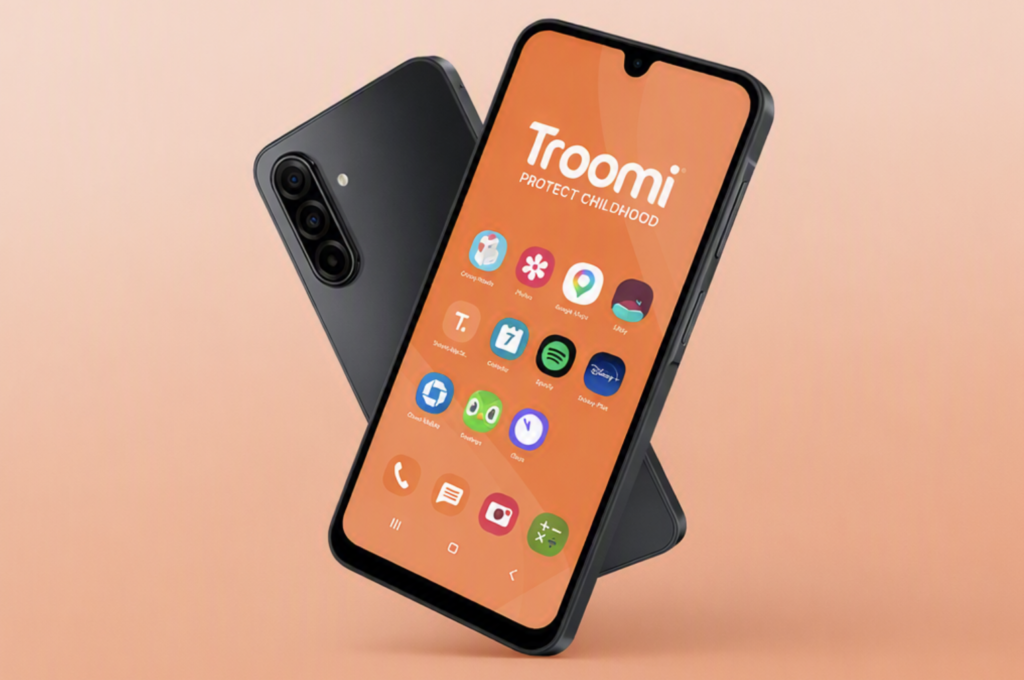
Troomi is aimed at children who need a safe phone with parent controlled access to apps, contacts, web browsing, and location features. It is a good middle ground between a basic phone and a more open smartphone.
- Kid friendly features: Parent managed apps, calling, texting, GPS location, safe browsing options, and tools that can be adjusted as children grow.
- Security and parental controls: Contact approval, web restrictions, message visibility or monitoring features, app management, and scheduled access.
- Pros: Strong structure for younger users; good app and contact oversight; safer than a standard smartphone; practical for families that want more than a flip phone.
- Cons: Requires a dedicated service plan; may feel restrictive for older teens; parent portal setup and ongoing management can take effort.
5. Nokia 2780 Flip or Similar Basic Flip Phone: Best Budget Call and Text Option
A basic flip phone is still one of the safest choices for younger children who only need emergency communication, school pickup coordination, or occasional texting. It removes most smartphone temptations while keeping the child reachable.
- Kid friendly features: Simple calling and texting, physical keypad, long standby time, sturdy design, and fewer distractions.
- Security and parental controls: Limited app access, fewer internet risks, carrier level blocking options, and contact rules depending on the plan and device.
- Pros: Affordable; simple to use; low distraction; good for younger children or emergency only use.
- Cons: Limited parental control software; weaker location and monitoring features than kids smartphones; some models may still include a basic browser unless disabled by settings or carrier tools.
6. iPhone SE or Budget Android with Built In Controls: Best for Older, Responsible Kids
For mature tweens and teens, a standard iPhone or Android can work well if parents configure controls before handing it over. Apple Screen Time and Google Family Link can manage app approvals, content restrictions, screen time schedules, purchase approvals, and location sharing.
- Kid friendly features: Strong cameras, school apps, messaging, maps, accessibility tools, durable cases, and a familiar interface for families already using Apple or Android.
- Security and parental controls: Apple Screen Time or Google Family Link for app limits, downtime, content restrictions, app approvals, location sharing, and purchase controls.
- Pros: Best long term flexibility; strong hardware and software support; easy to hand down older family devices; good for school and extracurricular needs.
- Cons: More work to lock down properly; children may find workarounds; social media and browsers require careful rules; third party monitoring may be needed for stronger alerts.
Quick Comparison
| Phone | Best For | Parental Control Strength | Main Trade Off |
| Bark Phone | Tweens and teens needing flexible monitoring | Very strong | Higher monthly cost and active setup |
| Gabb Phone 4 | Younger kids and first phone users | Strong, simple restrictions | Limited apps and flexibility |
| Pinwheel | Gradual independence | Strong app and schedule control | Needs ongoing parent curation |
| Troomi Safe Phone | Structured smartphone access | Strong | May feel restrictive for older teens |
| Basic flip phone | Calls, texts, and emergency use | Basic | Limited monitoring and location tools |
| iPhone or Android | Older responsible kids | Moderate to strong if configured well | More distractions and more setup work |
For children who only need basic communication, a flip phone remains the simplest and least distracting option.
If you want the strongest all around safety net, start with the Bark Phone. If your child is younger or you want to avoid open internet entirely, the Gabb Phone 4 is a safer first step. Pinwheel and Troomi are excellent middle ground choices for families that want controlled access to apps and browsing. For older teens, a standard iPhone or Android can work, but only if parental controls are configured carefully and paired with clear family rules.