What Is TRMNL X?
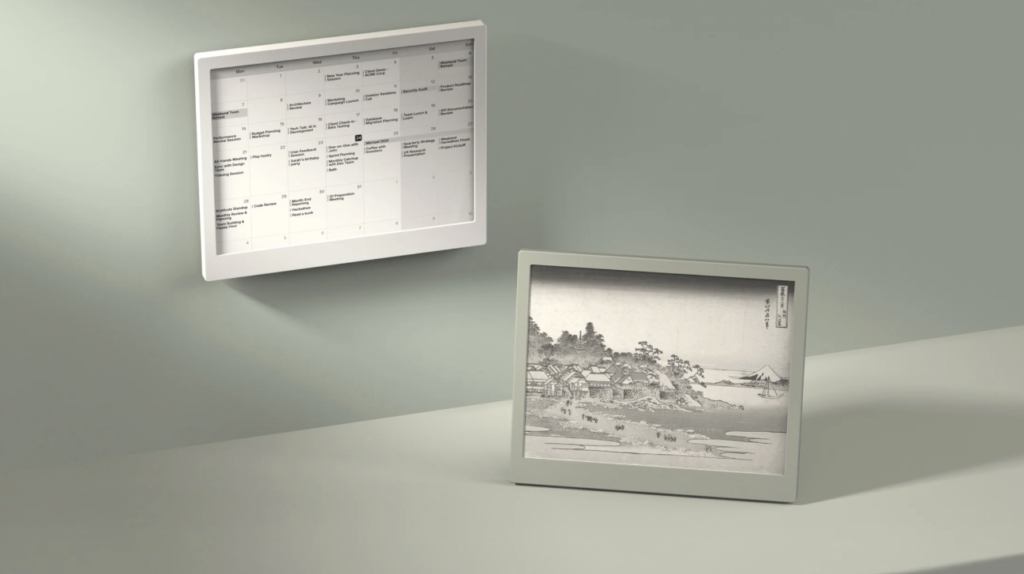
TRMNL X is a 10.3-inch black-and-white ePaper display that acts as a dedicated information screen. It is part smart display, part dashboard, and part developer-friendly ePaper device. The idea is simple: connect it to the information you care about, arrange that information into clean screens, and let the device update automatically throughout the day.
Because it uses ePaper rather than a normal LCD or OLED panel, TRMNL X is easy to read, power-efficient, and calm to look at. It is intended for places where you want persistent information without the distraction of a bright interactive screen, such as a desk, kitchen, office wall, meeting room, workshop, studio, or operations area.
It can connect with your phone for setup, management, and syncing certain phone-based data, especially on iPhone. But it does not appear to work like AirPlay, Chromecast, or a live phone mirror. Its main job is still to fetch dashboard content from TRMNL Cloud or your own integrations and show it on the ePaper screen.
TRMNL X is for people who want useful information without constant digital noise. It suits productivity-focused users, remote workers, families, developers, makers, business teams, and anyone who likes the idea of a persistent dashboard that does one job well. It is especially appealing if you want a larger display than the original TRMNL, need readable dashboards from across a room, or want a more open and customisable ePaper platform.
What Does It Do?
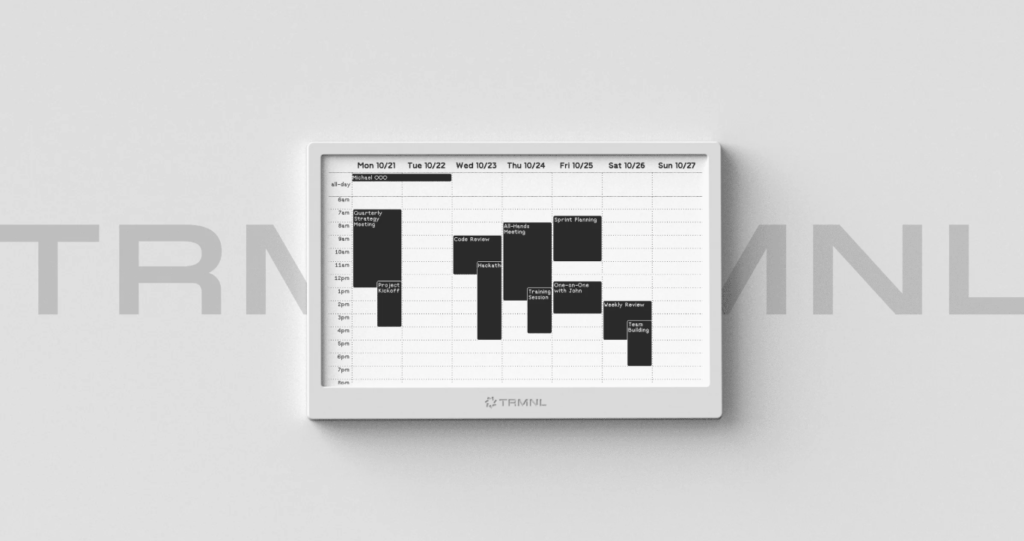
- Shows glanceable dashboards: TRMNL X can display information such as calendar events, weather, tasks, sales metrics, operational status, announcements, and custom data feeds.
- Connects to integrations: The TRMNL ecosystem supports a large library of pre-built plugins, plus custom plugins for users who want to connect their own data sources.
- Rotates through playlists: Users can create screens or groups of dashboards that change based on time, schedule, or conditions.
- Runs for months: Because ePaper only uses meaningful power when refreshing, TRMNL X is designed for long battery life rather than constant charging.
- Supports personal and business workflows: It can be used as a quiet home dashboard, a team information board, a developer display, or a business status screen.
How Does TRMNL X Work?
TRMNL X works by pulling dashboard images or layouts from the TRMNL platform, then rendering them on the ePaper screen. You choose which apps, plugins, or custom data sources you want to display. The platform turns that information into a clean visual layout, and the device refreshes on a schedule. The default refresh interval is commonly described as 15 minutes, but it can be configured depending on the use case and battery preferences.
A key part of the design is one-way communication. The device initiates communication with the server to fetch updates, rather than allowing external systems to reach into your local network. That makes TRMNL X useful for home, office, and business environments where privacy and network isolation matter.
What Can TRMNL X Connect To?
TRMNL X connects to information through TRMNL’s plugin ecosystem, private plugins, webhooks, APIs, polling URLs, and self-hosted setups. In simple terms, if the data can be reached through a supported plugin, a public feed, a webhook, or a custom script, there is a good chance TRMNL X can turn it into a clean ePaper dashboard.
Built-in and Community Integrations
TRMNL’s integration library includes official plugins and community recipes across everyday categories such as calendars, weather, news, productivity, finance, ecommerce, analytics, programming, travel, email, photos, CRM, and personal dashboards. Examples include Google Calendar, Apple Calendar, Outlook Calendar, RSS feeds, local weather, Google Photos, Google Drive photos, Reddit, Hacker News, Spotify top tracks, GitHub-related developer views, Shopify-style ecommerce metrics, finance dashboards, and more.
Home Assistant and Smart Home Data
TRMNL can also work with Home Assistant. The official Home Assistant integration can monitor TRMNL device status such as battery level, Wi-Fi strength, signal strength, sleep mode, and sleep schedule. Community recipes and webhook-based projects can also send smart home information, sensor readings, weather station data, light status, temperature, air quality, or automation states to a TRMNL display.
Custom APIs, Webhooks, and Data Feeds
For custom dashboards, TRMNL supports private plugins that can receive data by webhook or fetch data from polling URLs. Webhooks let another service send JSON data into TRMNL, while polling lets TRMNL fetch sources such as JSON, RSS, XML, plaintext, or CSV. This is useful for business dashboards, internal tools, server status pages, personal automations, inventory numbers, uptime checks, or any lightweight data source you want to display without opening a browser.
Developer and Self-Hosted Options
Developers can build private or public plugins using TRMNL’s templating tools, REST API, webhooks, and bring-your-own-server options. This makes TRMNL X flexible for makers and businesses that want to display custom internal data while keeping the device simple, quiet, and low-maintenance.
Key Features
- 10.3-inch ePaper display: A larger screen than the original TRMNL, making it easier to view dashboards from across a room.
- High-resolution panel: The display is listed at 1872 × 1404 pixels with 16 levels of grayscale.
- Long battery life: Battery options are listed at 6000 mAh and 12000 mAh, with typical use measured in months rather than days.
- 2.4 GHz and 5 GHz Wi-Fi: Support for both common Wi-Fi bands gives the device more flexibility on modern networks.
- Gesture-based controls: Built-in touch and gesture controls help users interact with the device without turning it into a full tablet.
- Portrait or landscape orientation: An accelerometer helps support different mounting and viewing layouts.
- Open-source firmware: TRMNL’s firmware is open source, and the broader ecosystem supports custom plugins and self-hosting options.
- Magnetic dock and USB-C charging: The device uses a dock-based charging approach that makes mounting and charging cleaner.
Technical Specifications
| Specification | TRMNL X Details |
| Device type | Battery-powered ePaper dashboard display |
| Screen size | 10.3 inches diagonal |
| Resolution | 1872 × 1404 pixels |
| Pixel density | 227 PPI |
| Display type | HD ePaper display with 16 grayscale levels |
| Refresh performance | Partial refresh around 200 ms and full refresh around 1.2 to 1.3 seconds, depending on mode |
| Dimensions | 233 × 193 × 12 mm without dock |
| Weight | Approximately 365 g with single battery or 450 g with double battery |
| Battery options | 6000 mAh or 12000 mAh rechargeable Li-Po battery options |
| Typical battery life | Approximately 3 to 6 months, depending on refresh frequency and configuration |
| Charging | USB-C via magnetic dock |
| Wireless | 2.4 GHz and 5 GHz Wi-Fi support |
| Processor platform | ESP32-S3 with ESP32-C5 support for connectivity |
| Sensors and controls | Temperature sensor, touch or gesture controls, accelerometer, and hard reset via magnetic dock |
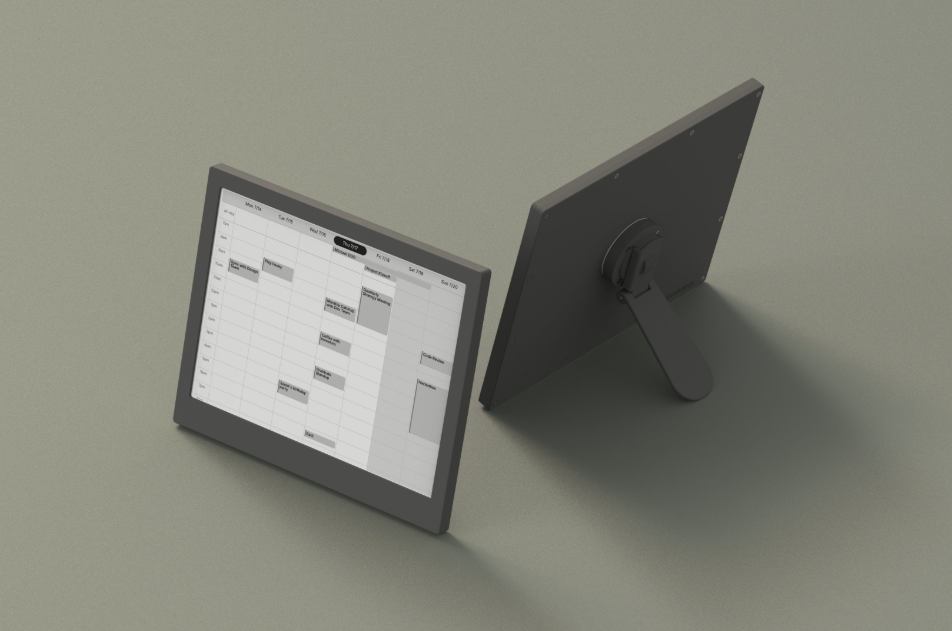
| Mounting | Kickstand, wall mount, and embedded magnet options |
| Software options | TRMNL Cloud or self-hosted BYOS setup |
| Customisation | Pre-built plugins, custom plugins, HTML/CSS/Liquid templates, REST API, webhooks, and dashboards |
| Security model | One-way device-initiated communication designed to keep the local network isolated |
Use Cases for TRMNL X
- Home dashboard: Show weather, household calendars, family reminders, school schedules, chores, package tracking, or home automation status.
- Desk productivity screen: Keep your calendar, tasks, focus goals, meeting schedule, or daily plan visible without opening another app.
- Kitchen or living-room display: Use the larger 10.3-inch screen for shared information that multiple people can read from a distance.
- Office status board: Show team announcements, room schedules, internal updates, support queues, availability, or company KPIs.
- Sales and operations dashboard: Display pipeline numbers, revenue progress, inventory status, uptime checks, logistics metrics, or service-level indicators.
- Developer and maker projects: Build custom dashboards from APIs, self-host the server, experiment with plugins, or use TRMNL X as a clean ePaper output for personal projects.
- Retail or hospitality signage: Present menus, simple notices, schedules, QR prompts, or low-power information boards where constant animation is unnecessary.
- Wellness and habit tracking: Show sleep data, hydration reminders, fitness goals, meditation streaks, or weekly routines in a calm format.
Why ePaper Matters
ePaper is different from a normal screen. It reflects light more like paper, holds an image without constantly using power, and is easier to leave on in the background. That makes TRMNL X useful for information that should be visible all day, but not urgent enough to justify another glowing display.
The trade-off is that ePaper is not made for video, animation, fast scrolling, or touch-heavy app experiences. TRMNL X is best understood as a calm information surface, not a tablet replacement.
TRMNL X is best described as a focused, customisable ePaper dashboard for real-world spaces. It takes information that usually lives inside apps and turns it into a quiet, always-available display. For homes, offices, developers, and businesses, its biggest strength is not that it does everything. Its strength is that it shows the right things clearly, calmly, and with very little maintenance.