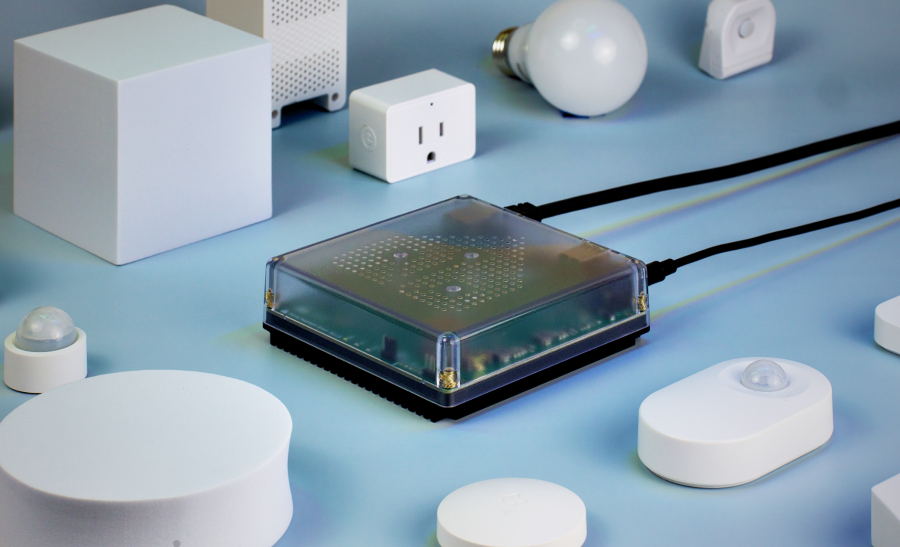
Home Assistant Green is the official plug-and-play hardware option for running Home Assistant, one of the most flexible local smart home platforms available. Unlike many cloud-first hubs, Home Assistant is designed to bring devices, automations, dashboards, sensors, cameras, energy monitoring, voice assistants, and integrations into one local-first system. Green is the easiest official path for users who want Home Assistant without building their own server.
What Is Home Assistant Green?
Home Assistant Green is the beginner-friendly model. It comes with Home Assistant OS pre-installed, includes power and network cables, and is designed so users can plug it into Ethernet and start setup from the app or web interface. It gives households a dedicated local controller for Home Assistant while still allowing expansion through USB adapters for radios such as Zigbee, Thread, Bluetooth, or Z-Wave.
Quick Overview
| Feature | Home Assistant Green |
| Best for | Beginners, privacy-focused households, and users who want Home Assistant without hardware tinkering |
| Setup style | Plug-and-play with Home Assistant OS pre-installed |
| Hardware | 1.8 GHz quad-core processor, 4 GB RAM, and 32 GB eMMC storage |
| Storage | Built-in eMMC storage |
| Zigbee, Thread, Bluetooth, or Z-Wave | Expandable through compatible USB adapters |
| Power | USB-C power |
| Ideal buyer | Someone who wants the simplest official way to start using Home Assistant |
Key Features
- Local-first smart home control: Home Assistant is designed to run automations and store smart home data locally whenever possible.
- Huge integration library: It can connect with thousands of devices and services, including lights, plugs, sensors, thermostats, cameras, speakers, EV chargers, solar systems, and energy meters.
- Custom dashboards: Users can build dashboards for rooms, tablets, phones, wall displays, and family members.
- Advanced automations: Home Assistant supports detailed triggers, conditions, scripts, scenes, schedules, blueprints, and helper entities.
- Matter support: Home Assistant can work with Matter devices and can be part of a modern cross-platform smart home.
- Expandable radios: Green can add Zigbee, Thread, Bluetooth, or Z-Wave through compatible USB adapters.
- Open-source ecosystem: Home Assistant benefits from a large community, regular updates, add-ons, custom integrations, and constant platform improvements.
What Can You Do with Home Assistant Green?
Home Assistant becomes most powerful when it acts as the central brain for devices from different brands. Instead of living inside separate apps, devices can be combined into practical automations that respond to motion, time, presence, temperature, energy usage, weather, button presses, camera events, or household modes.
- Create whole-home lighting rules: Turn lights on with motion, adjust brightness by time of day, and switch everything off when the home is empty.
- Build energy dashboards: Track solar production, grid usage, battery status, appliance consumption, and long-term trends.
- Unify different brands: Bring Wi-Fi, Zigbee, Z-Wave, Matter, Bluetooth, cloud, and local devices into one interface.
- Improve climate control: Combine thermostats, temperature sensors, fans, blinds, and weather data to keep rooms comfortable.
- Manage security and alerts: Use contact sensors, motion sensors, cameras, sirens, smart locks, and notifications for security routines.
- Automate appliances: Use smart plugs, switches, relays, and energy sensors to control or monitor appliances.
- Create custom dashboards: Build tablet views for kitchens, bedrooms, garages, offices, or wall-mounted control panels.
- Run advanced local automations: Use scripts, templates, blueprints, and helper entities to create behaviours that mainstream hubs often cannot match.
Who Should Choose Home Assistant Green?
Choose Home Assistant Green if you want the simplest official way to start using Home Assistant. It is a strong fit for most households because it arrives ready to run, needs very little hardware knowledge, and can be expanded later with USB radios for Zigbee, Thread, Bluetooth, or Z-Wave.
Strengths and Limitations
The biggest strength of Home Assistant Green is that it provides official, beginner-friendly hardware for a powerful open-source automation platform. It lowers the barrier to entry, helps users avoid being locked into one brand’s ecosystem, and can keep more smart home data and logic inside the home.
The trade-off is complexity. Home Assistant is easier than it used to be, but it is still more technical than Alexa, Google Home, Apple Home, or SmartThings. Green also does not include built-in Zigbee, Thread, Bluetooth, or Z-Wave radios, so users may need compatible USB adapters depending on the devices they want to connect.
Final Verdict
Home Assistant Green is the best starting point for most people who want the power of Home Assistant without building their own server. It is simple enough for beginners, flexible enough for advanced automations, and expandable through USB radios when users need Zigbee, Thread, Bluetooth, or Z-Wave. For privacy-focused, local-first smart homes, Green is the practical recommendation.