For years, smartphones have competed on bigger screens, more cameras and faster chips. The Clicks Communicator takes a different route. It is a compact Android phone designed around one simple idea: communication should be quick, tactile and intentional. Its defining feature is a built in physical keyboard, supported by software and hardware shortcuts intended to make messaging, email, notes and everyday tasks easier to manage.
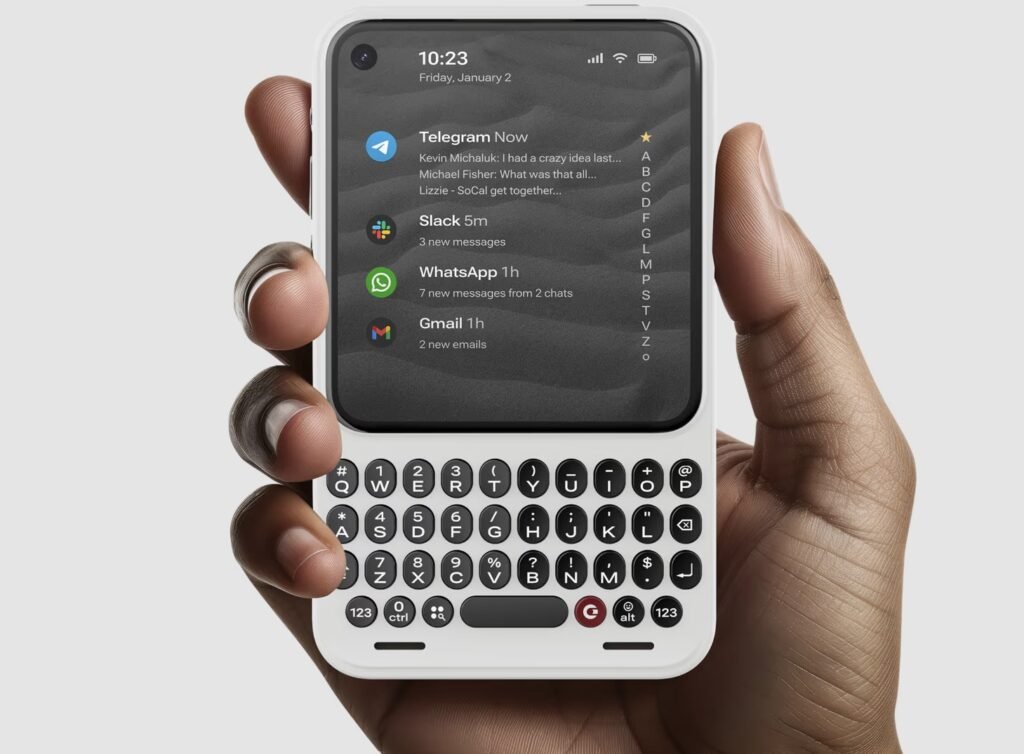
The result looks like a modern interpretation of the classic keyboard phone rather than another fullscreen flagship. It is not trying to be the best device for gaming, streaming or photography. Instead, it targets people who spend much of their day replying, organising and writing—and those who want a smartphone that demands less attention.
Clicks Communicator at a Glance
| Specification | Clicks Communicator |
| Display | 4.03-inch AMOLED |
| Keyboard | Built in touch sensitive physical keyboard with multiple planned layouts |
| Software | Android with Google Play access and a customised Niagara Launcher experience |
| Camera | 50MP rear camera with optical image stabilisation |
| Connectivity | 5G, physical SIM and eSIM support, Wi-Fi, Bluetooth and NFC |
| Storage expansion | microSD support up to 2TB |
| Charging | USB-C and Qi2 wireless charging |
| Other hardware | 3.5mm headphone jack, stereo speakers, triple microphones, fingerprint sensor in the spacebar and customisable Signal Light |
| Dimensions and weight | Approximately 130.5 × 78.63 × 12mm; 170g |
| Price and timing | US$499 list price; reservations have been offered at US$399; shipping is planned for late 2026 |
A Physical Keyboard That Does More Than Type
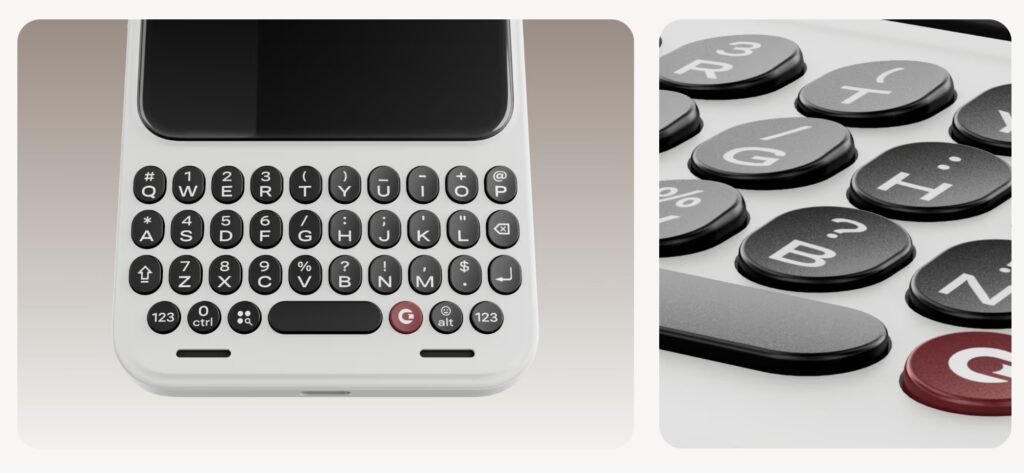
The keyboard is the Communicator’s reason for existing. Its sculpted keys are larger than those on Clicks’ keyboard cases, giving thumbs more room to move. More importantly, the keyboard is touch sensitive. Users are expected to be able to scroll through messages, inboxes and webpages without constantly reaching for the screen. The spacebar also doubles as a fingerprint reader, turning a familiar key into a quick route to unlocking the phone.
Keyboard shortcuts extend the idea beyond typing. A custom Clicks Key can launch selected actions, while a dedicated Prompt Key is designed for voice to text, recording and transcription. Planned keyboard layouts include QWERTY English, AZERTY French, QWERTZ German, Korean and Arabic, giving the device a broader audience than a single English language model.
Software Designed Around Communication
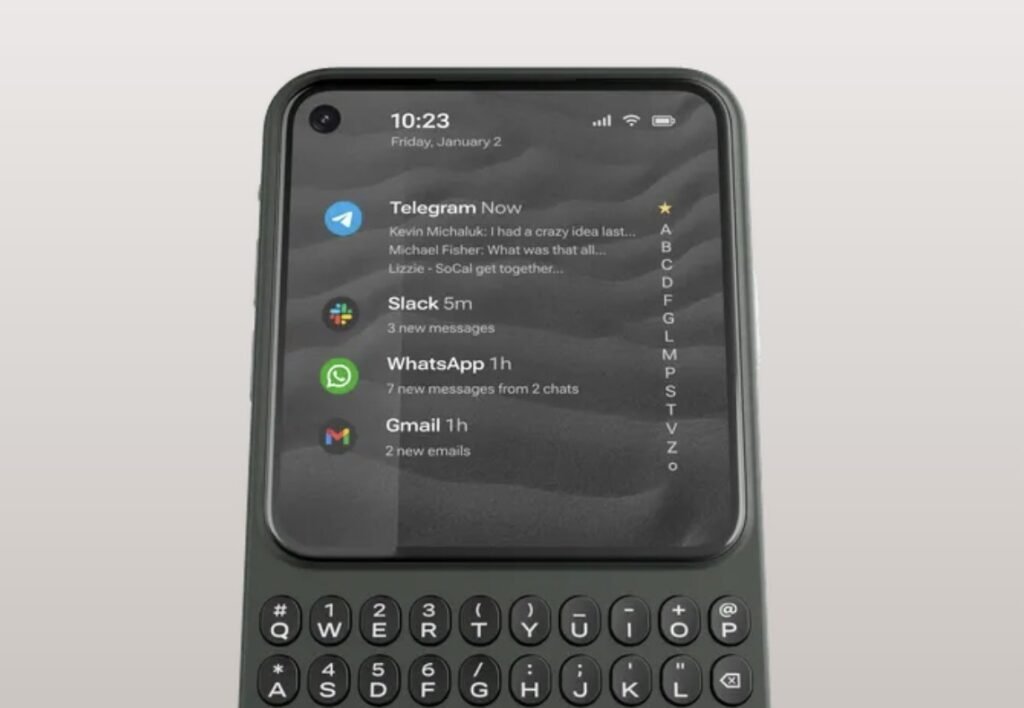
A keyboard alone would make the Communicator unusual, but its software is what could make the concept useful. Clicks is working with Niagara Launcher on a streamlined Android interface that prioritises favourite apps and quick search rather than a dense grid of icons. Typing can help find and launch apps, allowing the keyboard to become part of navigation rather than an accessory used only inside text boxes.
The planned Message Hub is intended to bring supported conversations together for faster triage. That could be the Communicator’s most valuable feature for people who move between email, messaging and workplace apps throughout the day. Because it remains a full Android phone with Google Play access, users should still be able to install familiar services rather than accept the limitations of a basic “digital detox” handset.
The Signal Light Makes Notifications More Intentional
One of the phone’s cleverest ideas is the customisable Signal Light on its side. Different colours and patterns can identify selected people, groups or apps. Instead of waking the screen whenever the phone buzzes, users may be able to glance at the light and decide whether a notification deserves immediate attention. It is a small feature, but it fits the Communicator’s larger promise: stay reachable without being pulled into the phone every few minutes.
Compact Screen, Practical Hardware
The 4.03 inch AMOLED display is deliberately small by modern standards. It should be comfortable for messages, maps, music controls and quick app interactions, while the keyboard prevents the on screen keyboard from consuming precious space. The trade off is obvious: video, games, photo editing and complex webpages will be less enjoyable than on a conventional large screen phone.
Elsewhere, the hardware feels refreshingly practical. The Communicator includes expandable storage, a headphone jack, physical SIM access alongside eSIM, Qi2 wireless charging and swappable magnetic backplates. A physical switch provides quick control over airplane mode. At around 12mm thick, it is chunkier than most current smartphones, but its compact height, 170g weight and keyboard focused shape should make it easy to grip.
Who Is the Clicks Communicator For?
- Heavy typists: people who answer long messages, manage email or write notes from their phone.
- Former keyboard phone users: anyone who misses the tactile speed and accuracy of BlackBerry style hardware.
- Productivity focused buyers: users who value shortcuts, transcription, expandable storage and a focused home screen.
- Second phone shoppers: people who want a compact communication device alongside a larger flagship.
- Digital minimalism converts: users who still need Android apps but want fewer reasons to stare at a large display.
Important Trade offs
The Communicator is not a universal flagship replacement. Its small screen and midrange positioning will not suit buyers who prioritise media consumption, mobile gaming or a versatile multi camera system. The device is also still moving from prototype to finished product. Final software polish, battery endurance, camera quality, carrier compatibility and shipping details need to be proven in production hardware. Buyers should treat current specifications and timing as subject to change.
Early Verdict
The Clicks Communicator is compelling because it refuses to compete on the same terms as every other smartphone. It sacrifices screen size and flagship excess to create a device built around writing, responding and staying organised. For the right buyer, that focus could make it more useful than a technically superior phone.
At US$499, its success will depend on execution. The keyboard needs to remain comfortable during long sessions, the Message Hub must work reliably across popular apps, and the battery needs to last through a communication heavy day. If Clicks delivers those fundamentals, the Communicator could become the most convincing modern keyboard phone yet not simply a nostalgia product, but a genuinely different way to use Android.
Read more and buy – https://clicks.tech/communicator