The MacBook Pro is Apple’s most powerful notebook range, designed for people whose work depends on sustained performance, a high quality display and extensive connectivity. The current lineup is available in 14 inch and 16 inch sizes with M5, M5 Pro and M5 Max chips. It for heavy users like software developers, filmmakers, photographers, designers, engineers, researchers, musicians and other users running demanding professional applications.
- 14 inch MacBook Pro with M5, introduced in October 2025
- 14 inch and 16 inch MacBook Pro with M5 Pro or M5 Max, introduced in March 2026
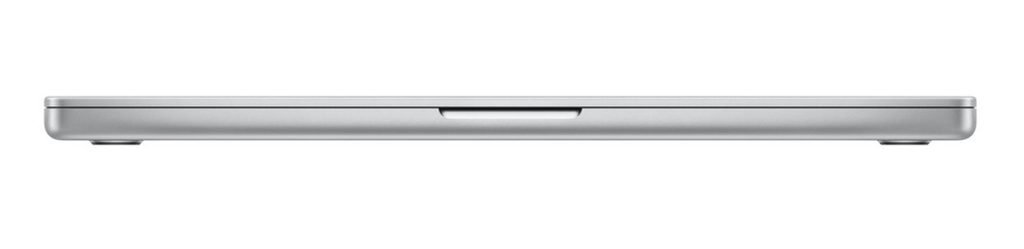
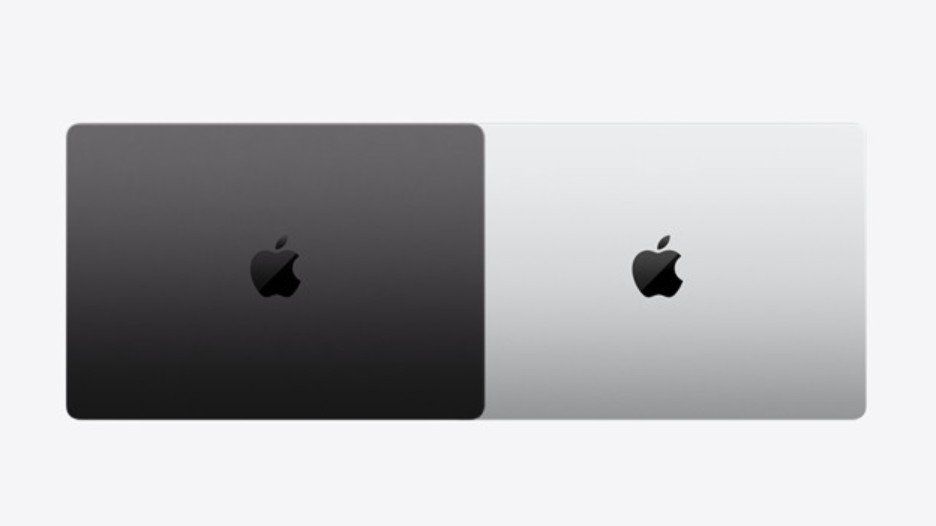
MacBook Pro models and chip options
- 14 inch with M5: the most accessible MacBook Pro. It combines a 10 core CPU, 10 core GPU, 16 core Neural Engine and 153 GB per second of memory bandwidth. It is a strong choice for study, software development, photography, music production and creative work that needs more sustained performance than a thin consumer notebook.
- 14 inch with M5 Pro: built for heavier professional workflows. Standard configurations begin with a 15 core CPU and 16 core GPU, with options extending to an 18 core CPU and 20 core GPU. Memory bandwidth rises to 307 GB per second.
- 14 inch with M5 Max: intended for demanding graphics, artificial intelligence, three dimensional rendering, visual effects and large media projects. Available options include an 18 core CPU with either a 32 core or 40 core GPU.
- 16 inch with M5 Pro: offers the larger display, more room for cooling and a bigger battery. It suits people who want desktop style workspace without giving up portability.
- 16 inch with M5 Max: the highest performance portable Mac configuration, aimed at complex video, graphics, simulation, music and artificial intelligence workloads.
Key specifications
| Current MacBook Pro configuration overview | ||
| Specification | 14 inch MacBook Pro | 16 inch MacBook Pro |
| Chip options | M5, M5 Pro or M5 Max | M5 Pro or M5 Max |
| Display | 14.2 inch Liquid Retina XDR display | 16.2 inch Liquid Retina XDR display |
| Display finish | Standard or optional nano texture | Standard or optional nano texture |
| Unified memory | Configurable up to 128 GB, depending on chip | Configurable up to 128 GB, depending on chip |
| SSD storage | Configurable from 1 TB to 8 TB on current store options | Configurable from 1 TB to 8 TB on current store options |
| Refresh rate | ProMotion up to 120 Hz | ProMotion up to 120 Hz |
| XDR brightness | Up to 1,000 nits sustained and 1,600 nits peak for HDR content | Up to 1,000 nits sustained and 1,600 nits peak for HDR content |
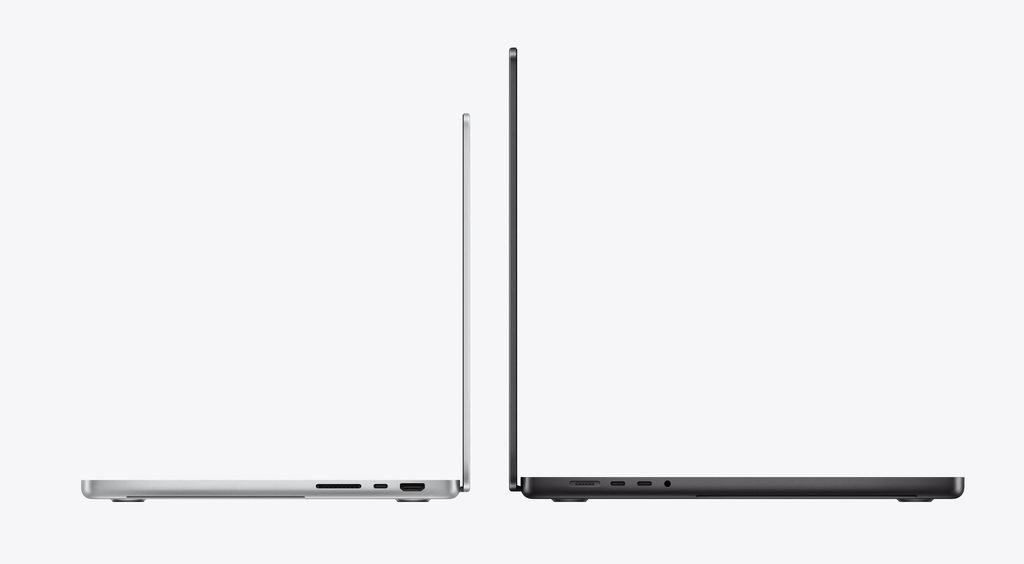
| Ports | Thunderbolt, HDMI, SDXC card slot, MagSafe 3 and headphone socket | Thunderbolt, HDMI, SDXC card slot, MagSafe 3 and headphone socket |
| Camera | 12 MP Center Stage camera with Desk View | 12 MP Center Stage camera with Desk View |
| Audio | Six speaker sound system and studio quality microphones | Six speaker sound system and studio quality microphones |
| Battery claim | Up to 24 hours, depending on model and usage | Up to 24 hours, depending on model and usage |
| Colours | Space Black or Silver | Space Black or Silver |
| Indicative Pricing | India: about ₹239,900 United States: about US$1,999 United Kingdom: about £1,999 Europe: about €2,199 to €2,249 Australia: about A$3,199 | India: about ₹349,900 United States: about US$2,999 United Kingdom: about £2,999 Europe: about €3,399 to €3,499 Australia: about A$4,799 |
Performance and Apple Intelligence
The M5 family combines the CPU, GPU, Neural Engine, unified memory and media engines in one system on a chip. Neural Accelerators are built into the GPU cores to speed up artificial intelligence work such as image generation, large language model processing and transformer model training. The 16 core Neural Engine also supports Apple Intelligence features with a focus on processing tasks on the device and protecting personal information.
Dedicated media engines accelerate H.264, HEVC, ProRes and ProRes RAW video. Hardware support for video encoding, decoding and AV1 playback helps the MacBook Pro handle high resolution footage efficiently. M5 Max configurations add additional video and ProRes engines for more demanding production work.
Liquid Retina XDR display
Every model uses a Liquid Retina XDR display with mini LED backlighting, wide P3 colour and True Tone. The 14.2 inch panel has a native resolution of 3024 by 1964 pixels. The larger 16.2 inch model provides more workspace while maintaining a similarly sharp image. XDR brightness reaches 1,000 nits across the full screen and 1,600 nits at peak for compatible HDR content. ProMotion adjusts the refresh rate up to 120 Hz for smooth scrolling, responsive interaction and fluid video playback.
Memory and storage
The base M5 model is offered with 16 GB, 24 GB or 32 GB of unified memory. M5 Pro and M5 Max configurations support larger capacities, reaching as high as 128 GB on selected M5 Max systems. Storage begins at 1 TB on the current range, with configurations extending to 8 TB on higher end models. Memory and storage cannot be upgraded after purchase, so buyers should choose enough capacity for the expected life of the computer.
Battery life and portability
Apple rates the MacBook Pro for up to 24 hours of battery life, depending on the model, activity and test conditions. Performance is designed to remain consistent whether the notebook is connected to power or running from its battery. The 14 inch model is easier to carry, while the 16 inch model trades additional size and weight for a larger workspace and greater battery capacity. Actual battery life can vary with applications, display brightness, network use and system settings.
Ports, camera and audio
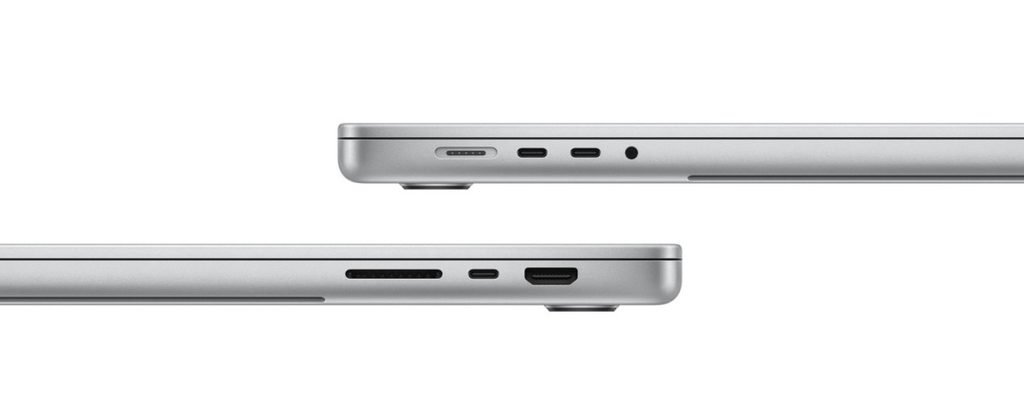
- Thunderbolt ports: connect fast storage, docks, displays and professional accessories.
- HDMI: connect directly to a television, projector or external monitor.
- SDXC card slot: transfer photographs and video from compatible memory cards.
- MagSafe charging: provides a dedicated magnetic power connection while leaving other ports available.
- Headphone socket: supports wired headphones and professional audio equipment.
- Camera: a 12 MP Center Stage camera keeps the user framed during video calls and supports Desk View.
- Audio: a six speaker sound system and studio quality microphones support calls, music and media production.
What is in the box?
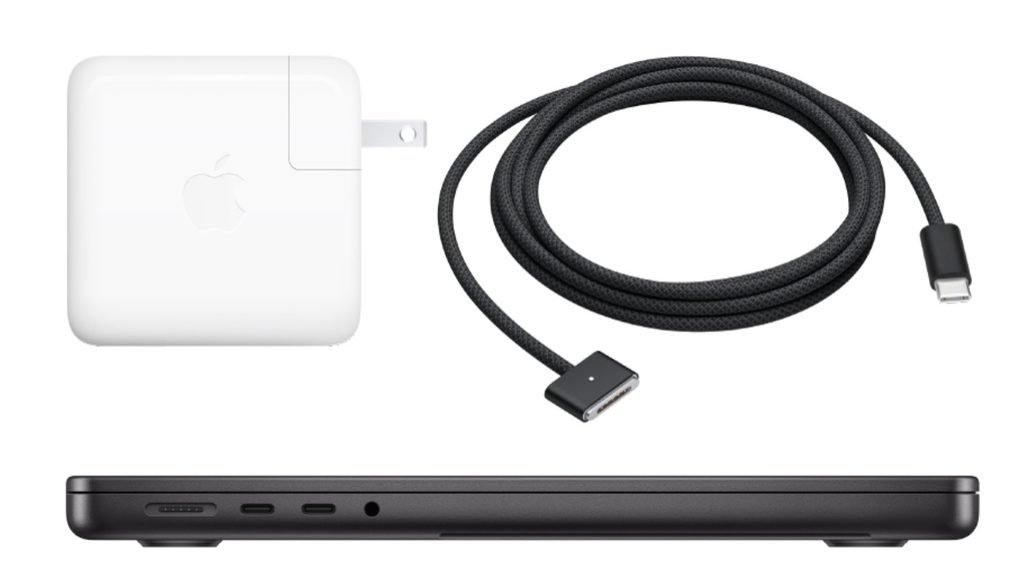
- MacBook Pro: the selected 14 inch or 16 inch notebook in Space Black or Silver.
- USB C to MagSafe 3 cable: the magnetic charging cable supplied with the computer.
- USB C power adapter: the included wattage and plug design depend on the selected model, configuration and country or region.
- Documentation: setup, safety and regulatory information appropriate to the market where the computer is sold.
Which MacBook Pro should you choose?
- Choose M5 for programming, study, office work, photography, music and general creative production where excellent performance matters but the largest memory and graphics options are unnecessary.
- Choose M5 Pro for sustained software builds, advanced photo work, professional video editing, engineering applications and heavier multitasking.
- Choose M5 Max for complex three dimensional graphics, visual effects, large artificial intelligence models, high end video production and workloads that benefit from maximum GPU power and memory capacity.
- Choose 14 inch when portability is the priority.
- Choose 16 inch when screen area, longer sessions and a more desktop like working experience matter most.
Pricing and buying considerations
MacBook Pro pricing varies significantly by country or region because of taxes, duties, currency differences and local promotions. The final price also depends on screen size, chip, memory and storage. Check the official Apple online store for your market to confirm current configurations, delivery estimates, education pricing, financing options, trade in programmes and warranty terms. Before ordering, consider the applications you use, the size of your projects, external display needs and how long you expect to keep the computer. Because the memory and internal storage are not user upgradeable, selecting the right capacity at purchase can prevent limitations later.
Is the MacBook Pro right for you?
The MacBook Pro is a strong choice when professional performance, a bright colour accurate display, long battery life and built in ports are more important than minimum weight or the lowest price. For lighter browsing, writing and everyday tasks, a MacBook Air may offer better value. For demanding creative, technical and development work, the configurable M5 Pro and M5 Max models provide substantially more processing power, memory bandwidth and graphics capability.