What is the RayNeo Air 4 Pro?
The RayNeo Air 4 Pro is a pair of wearable display glasses that turns a compatible phone, laptop, tablet or gaming device into a large private screen. It is built for films, games, streaming and portable productivity, combining a 201 inch HueView 2.0 virtual display with HDR10, Micro OLED panels, a refresh rate of up to 120 Hz and audio tuned by Bang & Olufsen.
It is important to note that this is a tethered display rather than a standalone mixed reality headset: it receives video and power from a connected source device through USB C DisplayPort or, where required, an HDMI adapter.
RayNeo Air 4 Pro variants
- Standard Edition: the core Air 4 Pro model, with the full display, audio, connectivity and comfort feature set.
- Limited Justice Edition: a themed design that delivers the same overall Air 4 Pro experience.
- Limited Chaos Edition: an alternative themed finish with the same core product purpose and capabilities.
What can you do with it?
Think of the Air 4 Pro as a monitor you can wear. Connect it to a compatible device and the picture appears as a large floating display, giving you a cinema style view without a television or desktop monitor. That makes it useful at home, while travelling or anywhere you want more screen space without carrying a conventional display.
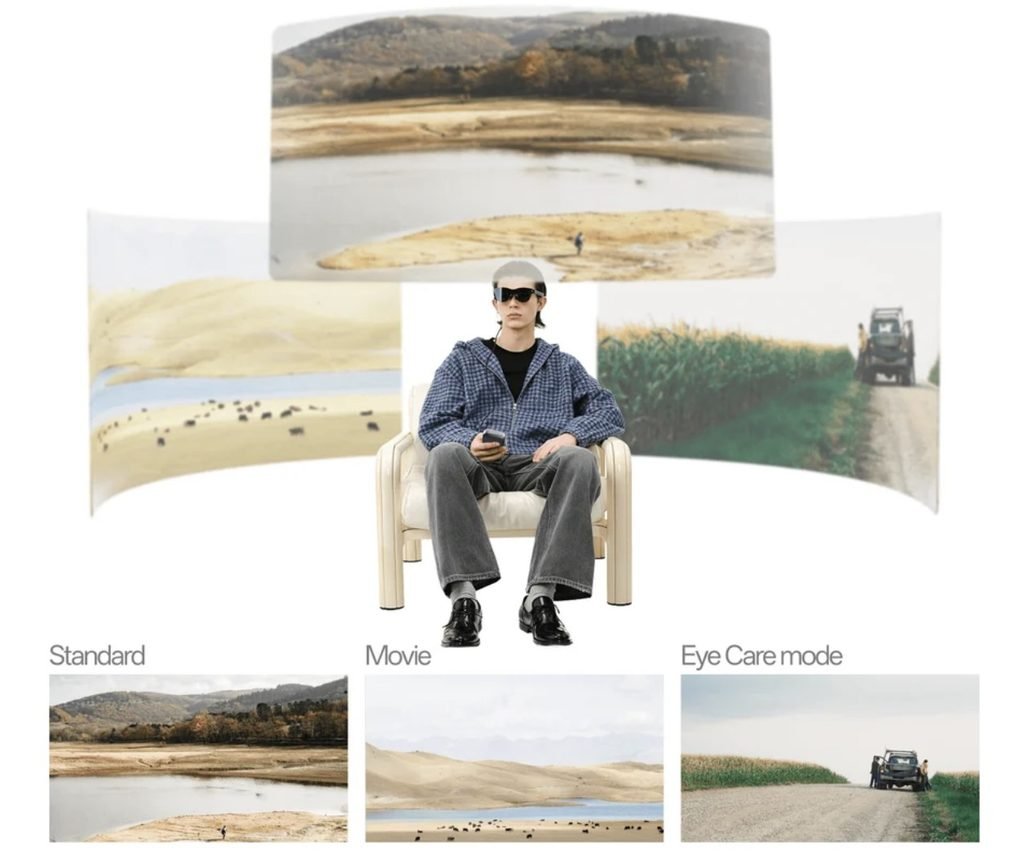
- Watch: stream films, television and online video on a large private virtual screen.
- Play: connect compatible PCs, consoles, handheld systems and phones for smooth, immersive gaming.
- Work: use it as a portable display for documents, presentations, study and focused tasks.
- View in 3D: play native 3D content or use artificial intelligence to convert supported 2D content into 3D when compatible with the source content and connected device.
- Keep content private: see your screen without setting up a physical monitor in a shared space.
Key specifications at a glance
- Display: Micro OLED with HDR10 support and more than one billion colours.
- Virtual screen: 201 inch HueView 2.0 display.
- Resolution: 1920 × 1080 per eye in 2D; 3840 × 1080 in supported 3D modes.
- Refresh rate: up to 120 Hz for smoother motion.
- Peak brightness: up to 1,200 nits.
- Field of view: approximately 47 degrees.
- Image processor: Vision 4000, supporting artificial intelligence enhancement that converts SDR to HDR in real time.
- Audio: four speaker system tuned by Bang & Olufsen, with spatial and private listening modes.
- Eye comfort: OptiCare protection with 3,840 Hz PWM dimming, reduced blue light and flicker reduction features.
- Weight: approximately 76 g, with adjustable nose pads and temples.
- Vision correction: compatible with optional prescription lens inserts.
How does the RayNeo Air 4 Pro work?
The Air 4 Pro works much like an external monitor. A connected device supplies the video signal and power, while the glasses create and optically project the image. Tiny Micro OLED panels generate a separate Full HD picture for each eye, and the internal optical system makes those images appear as one large screen positioned at a comfortable viewing distance.
- Connect the source: plug the glasses into a device with USB C DisplayPort Alt Mode. Devices with HDMI output only require a compatible adapter.
- Send video and power: the source device treats the glasses much like an external display and supplies power through the wired connection.
- Create the image: the Micro OLED panels produce a high resolution view for each eye.
- Project the virtual screen: internal optics make the picture appear much larger and farther away than the physical displays.
- Process the picture: the Vision 4000 chip adjusts colour, contrast and motion, and can apply supported conversion from SDR to HDR or from 2D to 3D.
- Deliver the sound: the built in quad speaker system sends audio towards the wearer without requiring separate headphones.
Device compatibility and accessories
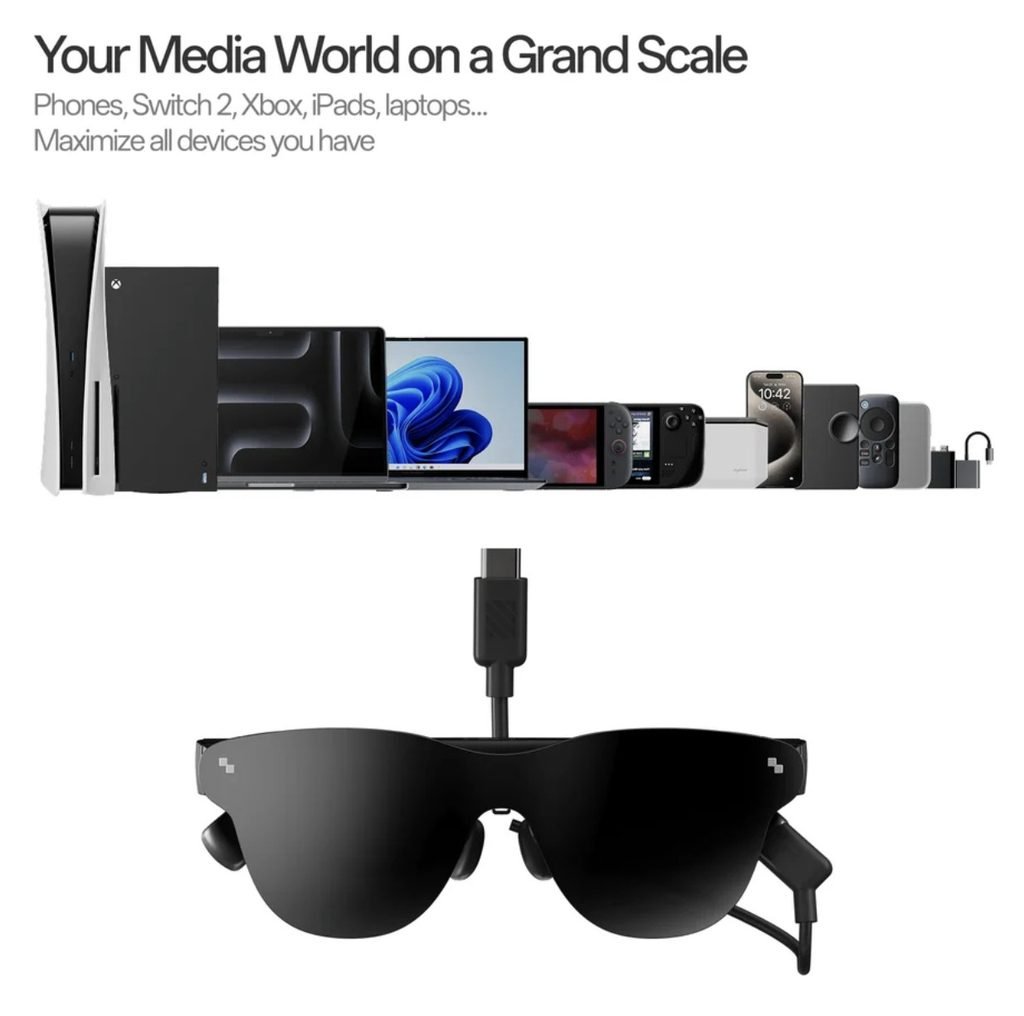
For a direct connection, the source device must support video output through USB C DisplayPort Alt Mode. Compatible options can include recent iPhones, supported Android phones, Windows PCs, Macs, tablets and handheld gaming systems. Consoles and other sources with HDMI output may need RayNeo’s HDMI adapter. Optional accessories include charging adapters, the JoyDock gaming adapter, the Pocket TV streaming box and the Sound Tube, which is designed to increase volume.
What is in the box?
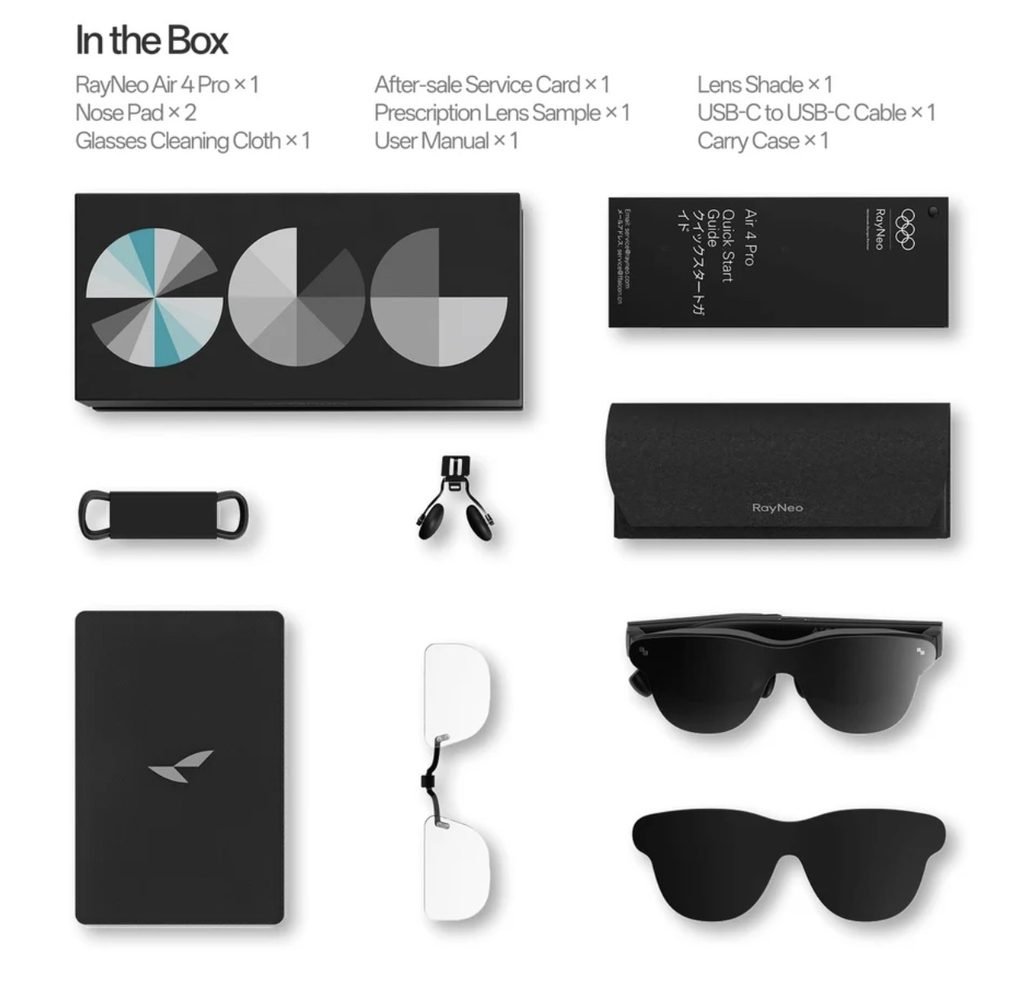
The RayNeo Air 4 Pro package contains the glasses plus fitting, connection, protection and setup items. Package contents may vary slightly by edition, bundle or sales region, so buyers should also check the unpacking list shown on the product page at checkout.
- RayNeo Air 4 Pro glasses: one pair of wearable display glasses.
- Prescription lens frame: one sample insert frame for fitting compatible prescription lenses.
- Lens shade: one removable sunglass attachment that helps block outside light and improve contrast.
- Data cable: one USB C display cable for connecting the glasses to a compatible source device and supplying video and power.
- Nose pad components: two nose pad components for adjusting fit and viewing position.
- Carry case: one protective case for storage and travel.
- Glasses cleaning cloth: one cloth for cleaning the lenses and display surfaces.
- Quick Start Guide: one concise guide for initial connection and setup.
- User manual: one guide covering operation, eye protection, safety and regulatory information.
The standard package documentation lists the items above. Accessories such as the HDMI adapter, USB C charging adapter, JoyDock gaming adapter, Pocket TV streaming box and Sound Tube are sold separately unless they are included in a selected bundle.
What to know before buying
- It is not standalone: there is no internal battery or onboard operating system, so the glasses need a connected device.
- It is a display, not a full spatial computing headset: it does not offer the room mapping, hand tracking or independent app platform associated with advanced mixed reality headsets.
- Compatibility matters: a USB C port does not automatically support video output; check that the device supports DisplayPort Alt Mode.
- Some features depend on the source: HDR10, 3D playback and higher refresh rates require compatible content, hardware and connection settings.
- Extra hardware may be required: HDMI devices, charging while viewing and certain gaming setups can require separately sold adapters.
Is the RayNeo Air 4 Pro right for you?
The RayNeo Air 4 Pro is best suited to people who want a lightweight, private big screen experience for films, gaming or portable work. Its headline advantages are the HDR10 Micro OLED display, 120 Hz refresh rate, Vision 4000 image processing, audio tuned by B&O and relatively light 76 g design.
Choose the Standard Edition for the core experience; the Limited Justice and Limited Chaos editions mainly offer a different visual style. If you need fully independent apps, cameras, spatial mapping or wireless use, a standalone smart glasses or mixed reality product will be a better fit.
More info or Buy – RayNeo Air 4 Pro AR Smart Glasses – Best AR Glasses 2026 – RayNeo