Gaming audio usually forces a compromise. Headsets deliver detail but become tiring during long sessions, while conventional desktop speakers consume space and often lack convincing surround sound. The ROG Gjallar Gaming Soundbar is ASUS Republic of Gamers’ attempt to bridge that gap with a compact system designed specifically for a monitor based setup.
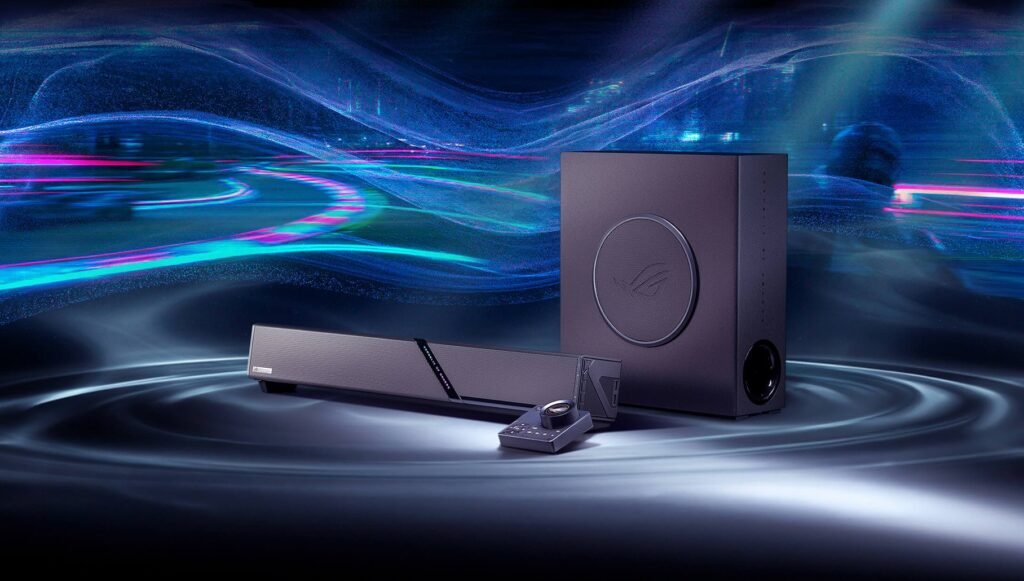
Its headline features are a 2.1.2 channel Dolby Atmos speaker arrangement, a 65 watt wireless subwoofer, broad support for multiple platforms and a separate control hub with built in microphones. In other words, Gjallar is not simply a television soundbar placed beneath a gaming monitor; it is intended to replace speakers, a desktop microphone and part of the cable clutter around a PC or console.
ROG Gjallar at a Glance
| Specification | ROG Gjallar Gaming Soundbar |
| Audio system | 2.1.2 channel surround sound with Dolby Atmos |
| Soundbar drivers | Left and right full range speakers, dedicated tweeters and dual upward firing channels |
| Subwoofer | 6.5 inch, 65 watt wireless subwoofer with a low latency 5GHz connection |
| Voice communication | Built in beamforming microphones with Acoustic Echo Cancellation |
| Control hub | Physical control of EQ, playback, input source, microphone functions and RGB lighting |
| Connections | USB C, HDMI 2.1 with eARC, optical, AUX and Bluetooth 5.3 |
| Video passthrough | Up to 4K at 120Hz through HDMI 2.1 |
| USB hub | Two USB Type A ports built into the soundbar |
| Platform support | PC, Mac, PlayStation, Xbox, Nintendo Switch and mobile devices |
| Lighting and software | ASUS Aura RGB with 16.8 million colours; customisation through Gear Link on PC and mobile |
| Price and availability | Not announced at the time of writing |
Dolby Atmos Built for the Desktop
The 2.1.2 configuration is the centrepiece of Gjallar. Traditional stereo speakers create left and right separation, but ASUS adds dedicated tweeters for high frequency detail and two upward firing channels for height effects. With Dolby Atmos content, those channels are designed to reflect sound upward and create the impression that aircraft, weather and other effects extend above the display.
For competitive games, the practical promise is positional clarity: footsteps, gunfire and movement should be easier to place around the player. For films and games driven by narrative, the benefit is a larger, more cinematic soundstage than a conventional pair of monitor speakers can usually provide. As with any compact Atmos system, the strength of the height effect will depend on room layout, ceiling shape and listening position.
A Wireless Subwoofer Without the Usual Cable Clutter
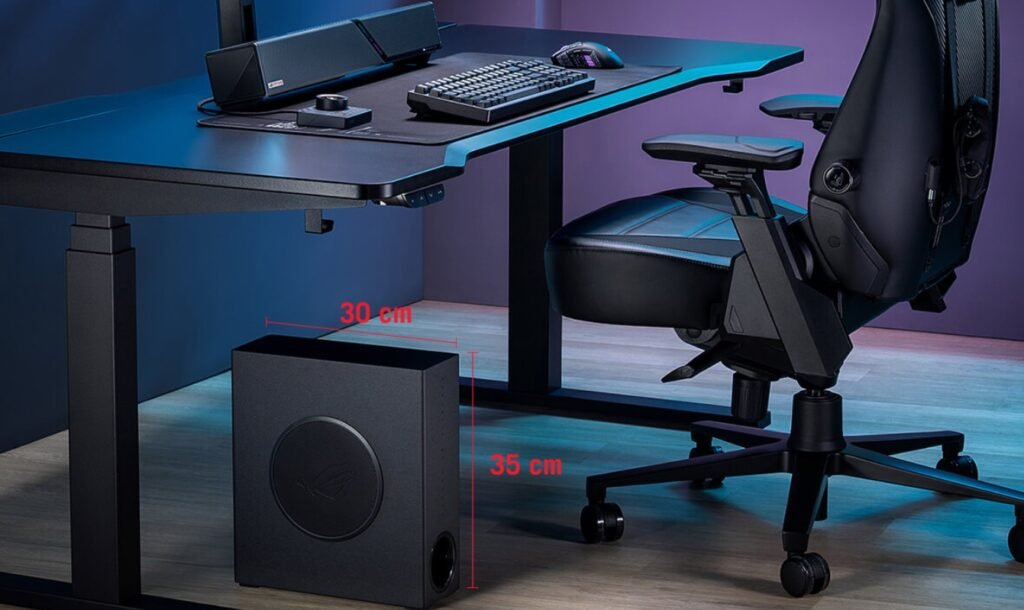
A slim 6.5 inch subwoofer handles the low end. Its 65 watt output is intended to add physical weight to explosions, engines and music without requiring a large cabinet beside the desk. The soundbar communicates with it over a 5GHz wireless connection, which ASUS says provides reliable audio with low latency while allowing more flexible placement.
The wireless link removes an audio cable between the two units, although the subwoofer still requires mains power. That distinction matters for buyers planning a setup without cables. Even so, the narrow design should be easier to position beside a desk than a traditional home theatre subwoofer.
The Control Hub Is More Than a Volume Dial
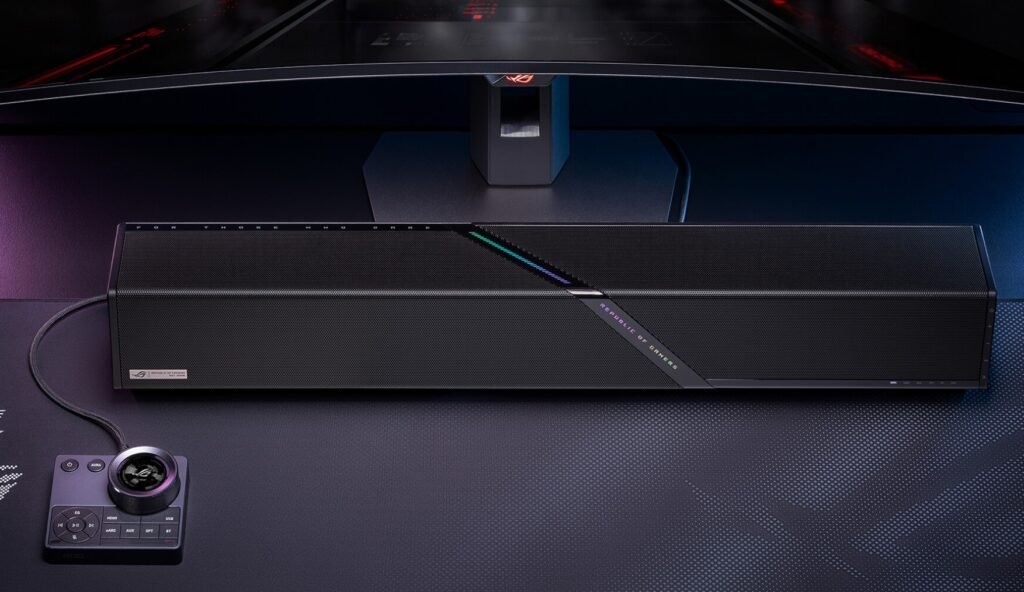
The separate control hub places the settings used most often within reach. Players can adjust volume and EQ, control playback, switch inputs and change Aura RGB effects without hunting through software menus. That is particularly useful in a setup with multiple devices where a PC, console and phone may all be connected.
The hub also houses beamforming microphones with Acoustic Echo Cancellation. This technology is designed to prevent game audio and teammates’ voices from being fed back into voice chat, helping the microphones isolate the person sitting at the desk. If it works well in real rooms, Gjallar could remove the need for a separate desktop microphone during casual multiplayer sessions and calls.
One Sound System for PC, Console and Mobile
Connectivity is one of Gjallar’s strongest arguments. USB C provides a direct route for computers and compatible devices, while HDMI 2.1 with eARC supports up to 4K at 120Hz passthrough for modern consoles and displays. Optical and AUX inputs cover older or specialist hardware, and Bluetooth 5.3 makes wireless playback from a phone or tablet straightforward.
Two USB Type A ports mounted on the side turn the soundbar into a small peripheral hub. That can be genuinely useful on a crowded desk, particularly for connecting controllers, receivers or other accessories. The broad input selection also means users should be able to leave several devices attached and switch sources from the control hub rather than repeatedly moving cables.
RGB and Software Customisation
As expected from an ROG product, Gjallar includes Aura RGB lighting with millions of colour choices and several preset effects. Owners of other compatible ASUS hardware can coordinate the soundbar with the rest of their setup, while buyers who prefer a quieter look can choose a restrained effect or disable the lighting.
Gear Link provides deeper adjustment through a tool for the web on PC and a mobile app. It allows users to fine tune EQ, lighting and microphone behaviour. Hardware controls remain important, but software profiles could make it easier to maintain different settings for competitive gaming, films, music and use late at night.
Who Is the ROG Gjallar For?
- Gamers tired of headsets: players who want immersive sound without wearing headphones for hours.
- Setups with multiple platforms: users who regularly switch among a PC, console, handheld and phone.
- Owners of small desks: gamers who want fuller audio without placing two speaker cabinets beside a monitor.
- Atmos enthusiasts: buyers who play compatible games or watch films and want a stronger sense of height and space.
- ROG ecosystem users: people who value Aura RGB coordination and Gear Link customisation.
Important Tradeoffs
Gjallar is designed for a gaming desk and listening at close range, not as a replacement for a full home theatre system. Its virtual and reflected Atmos presentation may not match discrete speakers placed around and above a room. The subwoofer improves bass but adds another powered component to position, and anyone who plays late at night may still need a headset.
Price is the largest unanswered question. ASUS has announced the feature set but has not confirmed pricing or broad retail availability. The final value judgement will depend on how Gjallar compares with established premium soundbars, desktop speaker systems and combinations of a headset and microphone.
The ROG Gjallar stands out because it treats the soundbar as the centre of a gaming setup rather than a basic speaker upgrade. Dolby Atmos, a wireless subwoofer with low latency, built in microphones for voice chat, physical controls and unusually broad connectivity address several everyday desk problems at once.
If its positional audio, microphone isolation and device switching perform as promised, it could be an appealing all in one alternative to separate speakers and a desktop microphone. Until ASUS confirms the price and independent testing measures its sound quality, Gjallar is best viewed as a highly promising premium gaming soundbar rather than an automatic recommendation.
More details and buy – https://rog.asus.com/headsets-audio/gaming-speakers/rog-gjallar-gaming-soundbar/